
Building Construction System
A downloadable asset pack for Windows, macOS, Linux, and Android
🏗️ Building Construction System
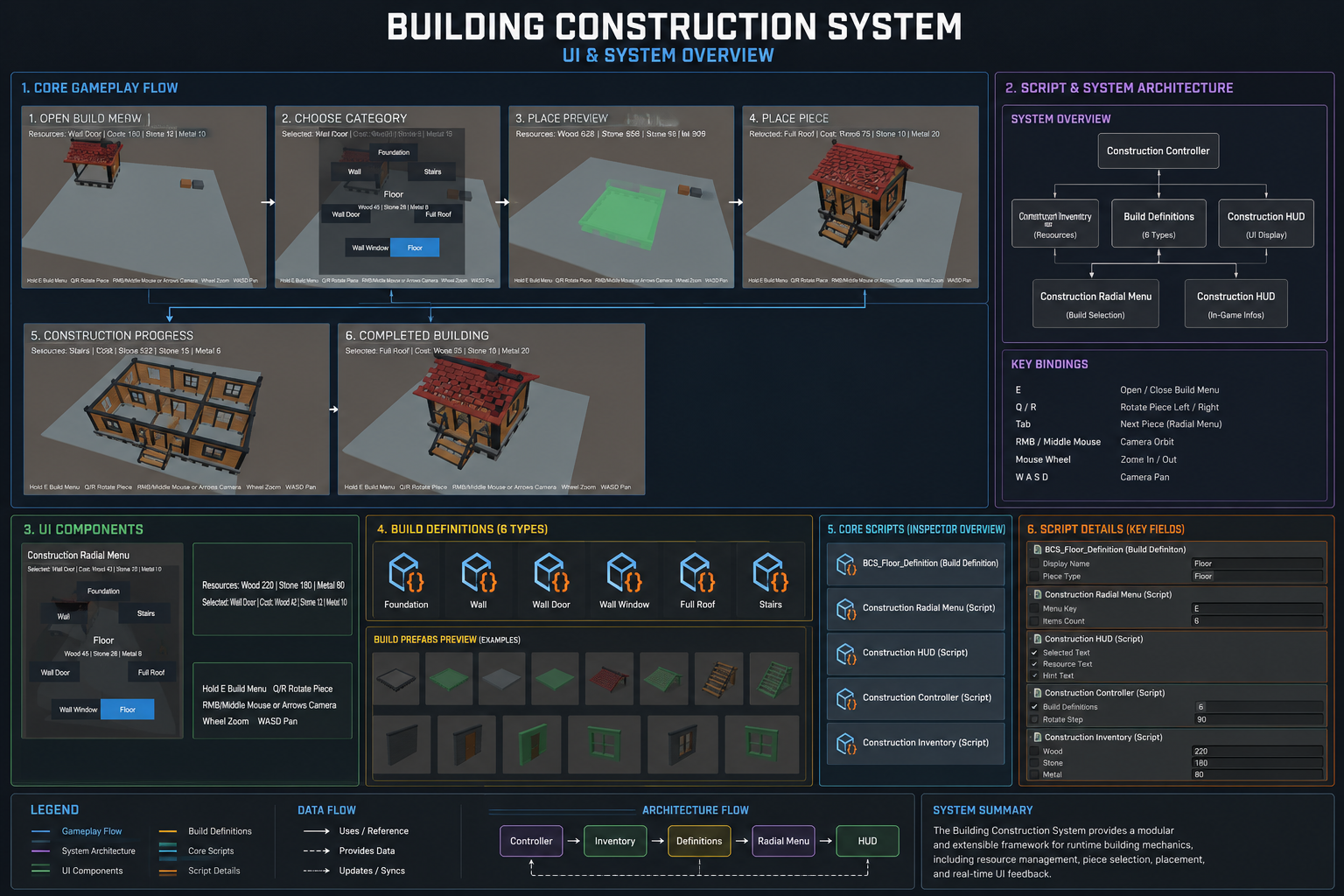
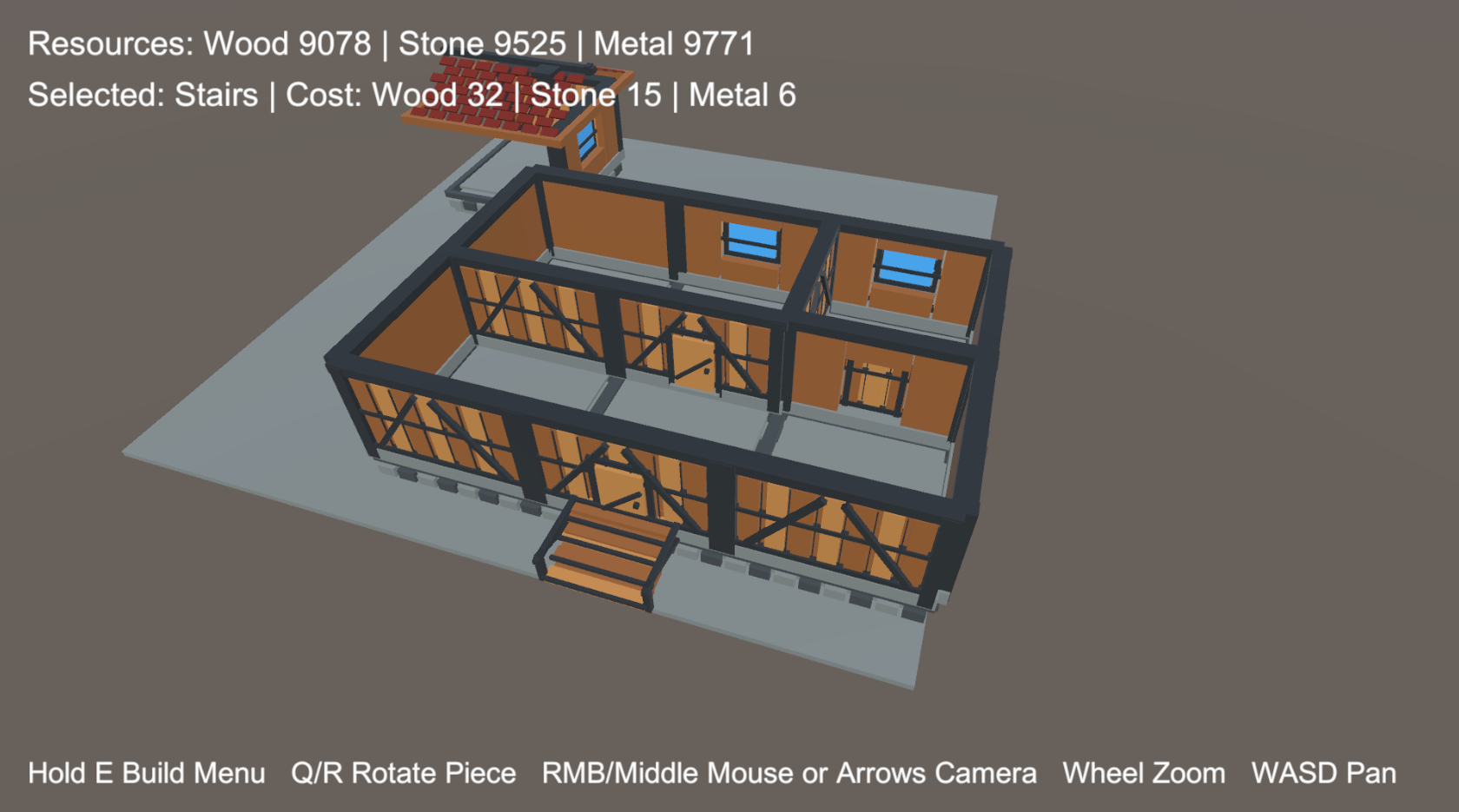
Building Construction System is a modular building construction package for Unity projects. It provides a ready-to-use foundation for placing structures, snapping modular pieces together, managing resource costs, and building multi-level bases.
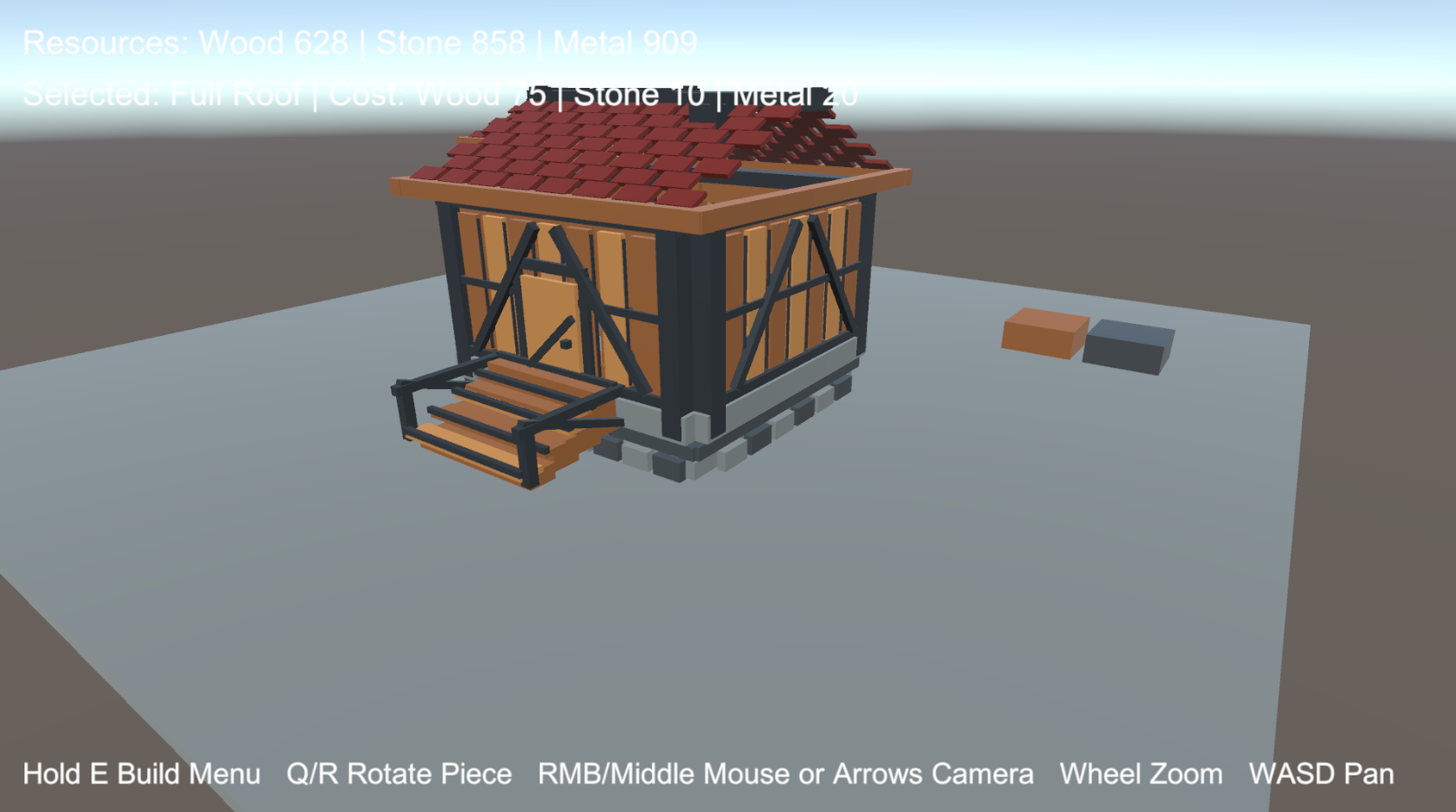
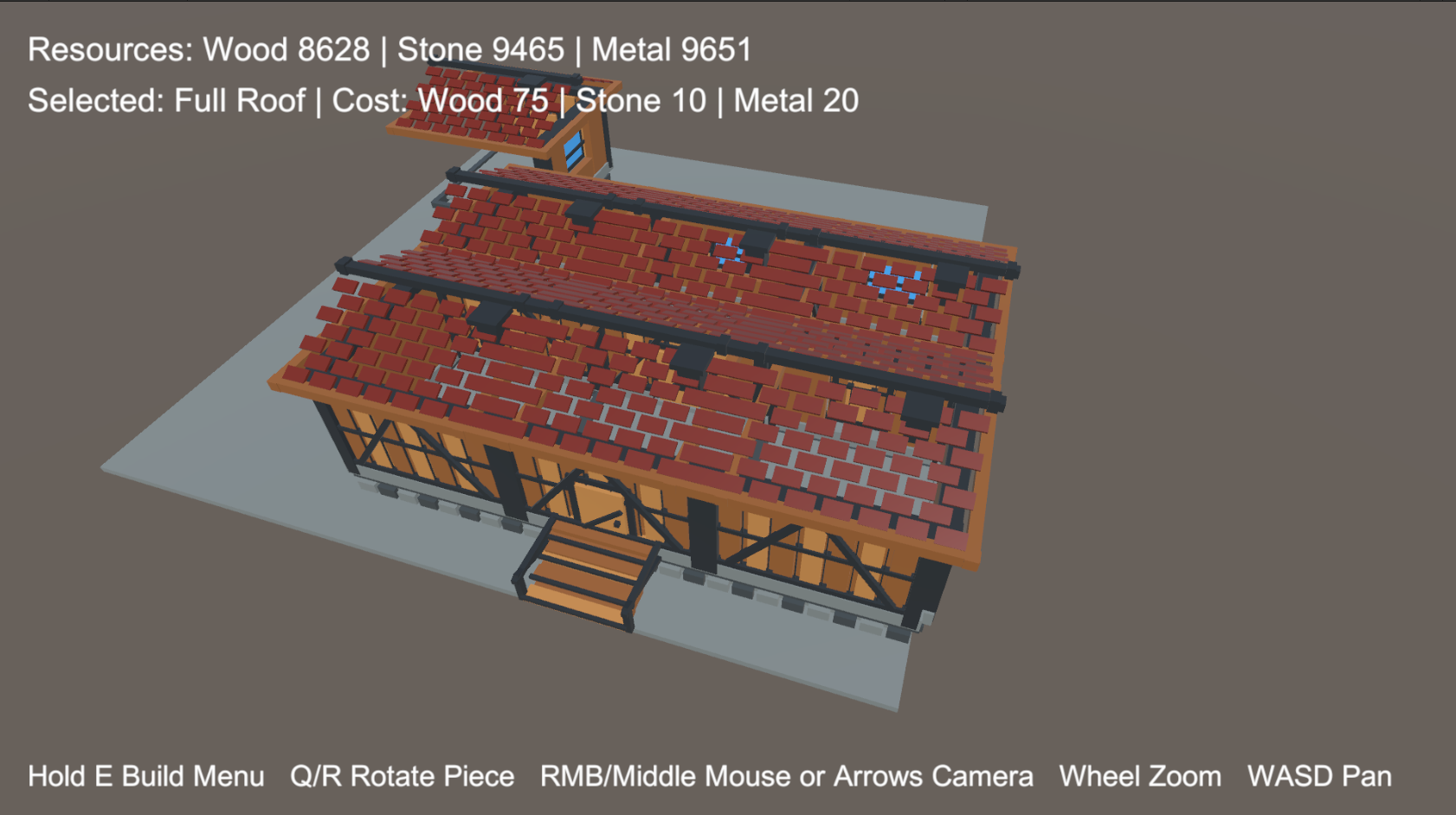
The system includes prefabs for foundations, walls, door and window wall variants, upper floors, roofs, and stairs.
Build survival bases, crafting shelters, sandbox structures, strategy prototypes, and modular construction gameplay with placement previews, snap points, resources, demolition, and refunds.

✨ Main Features
-
Modular Building Pieces
Includes foundations, walls, floors, roofs, stairs, and wall variants. -
Door & Window Wall Variants
Build walls with openings for doors and windows using ready prefabs. -
Snap Point Placement
Place new building pieces using prefab sockets and snap points. -
Placement Preview
Shows a transparent preview before placing a structure. -
Valid / Invalid Placement States
Preview materials can show whether a piece can be placed or not. -
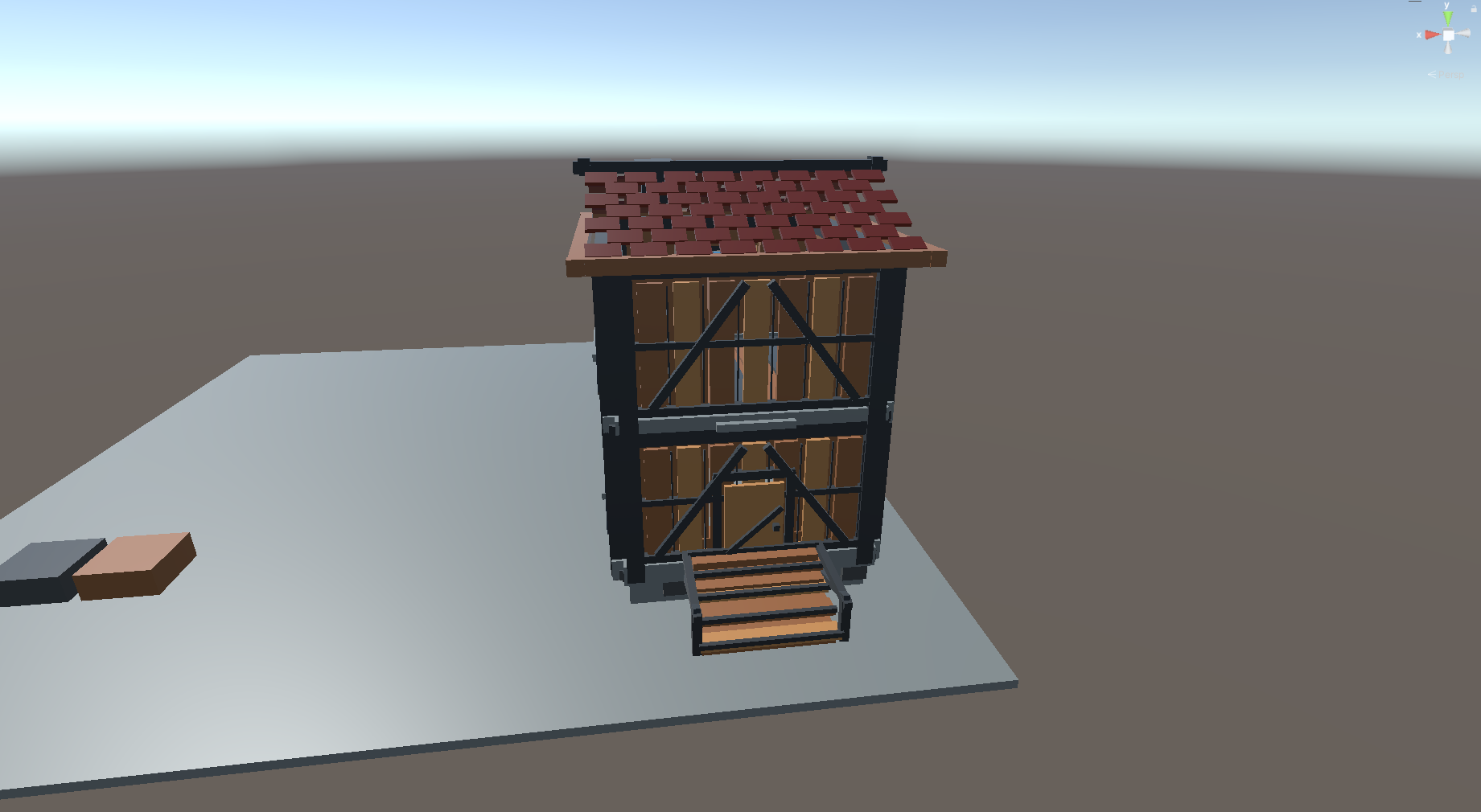
Multi-Level Building
Supports upper floor pieces for creating multi-floor structures. -
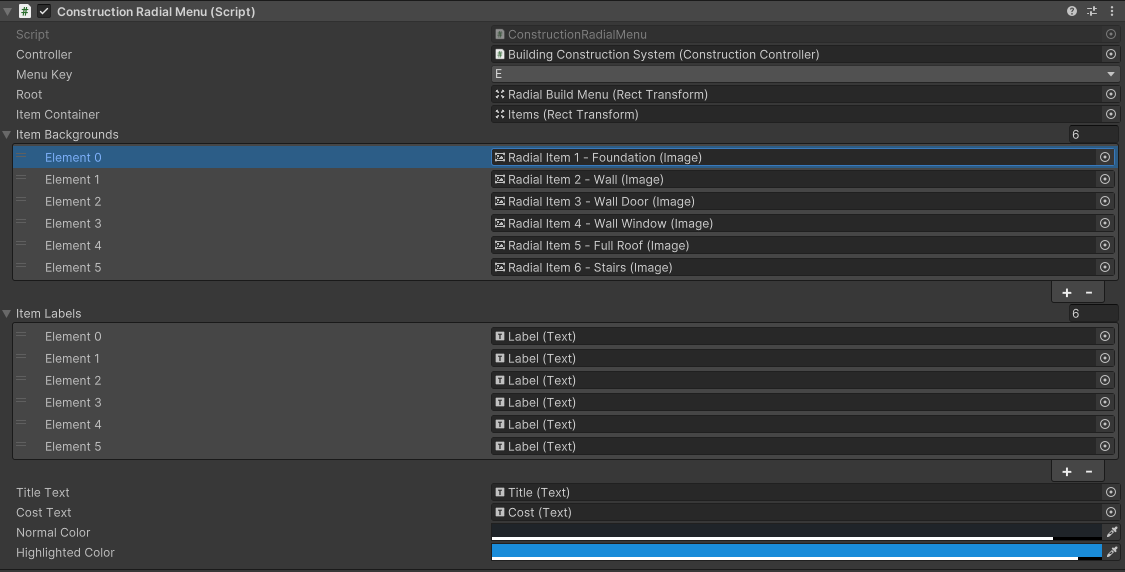
Radial Build Selection
Select building pieces through a runtime radial build menu. -
Resource Cost System
Building pieces can cost wood, stone, and metal. -
Demolition & Refunds
Remove placed structures and optionally refund configurable resources. -
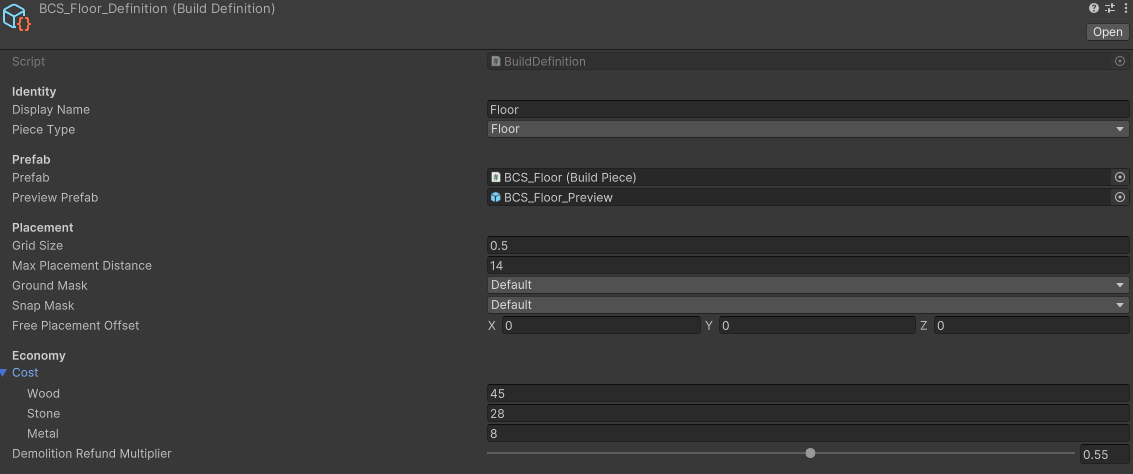
ScriptableObject Build Definitions
Configure build pieces through reusable Build Definition assets.
🧱 Modular Building Pieces
The system includes a set of ready-to-use construction prefabs for common base-building and survival construction workflows.
Included Piece Types
- Foundations
- Walls
- Walls with doors
- Walls with windows
- Upper floors
- Roofs
- Stairs
🧲 Snap Point Workflow
Building pieces use sockets and snap points to connect modular structures together.
This allows players to place walls on foundations, connect floors, build upward, and create organized modular structures.
Snap Features
- Socket-based placement
- Snap point connections
- Foundation-to-wall placement
- Wall-to-floor placement
- Multi-piece structure support
- Custom prefab socket setup
👁️ Placement Preview
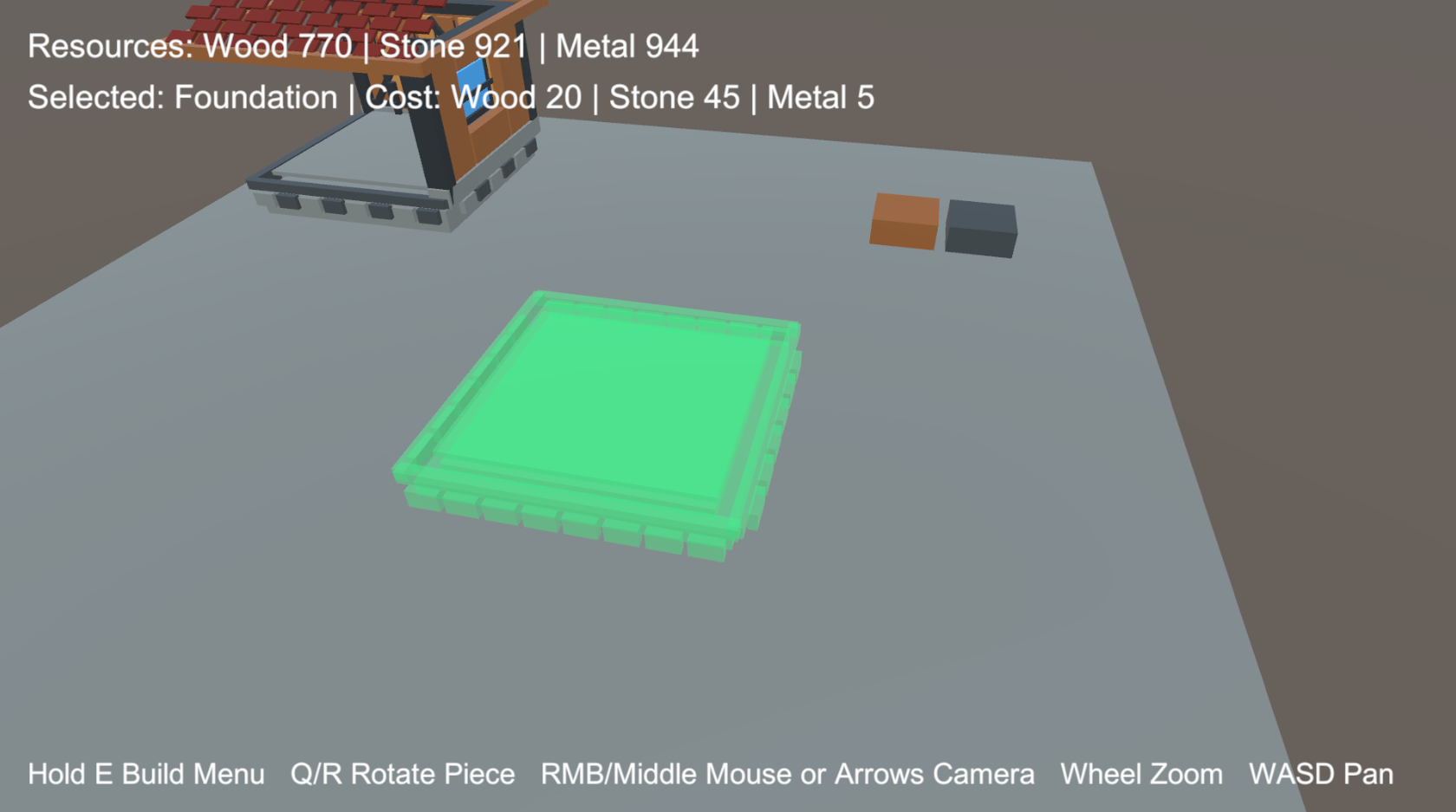
Before placing a building piece, the system displays a transparent preview.
The preview can show valid and invalid placement states, helping players understand where they can build.
Preview Features
- Transparent preview object
- Valid placement material
- Invalid placement material
- Runtime placement feedback
- Custom preview prefab support
🌀 Radial Build Selection
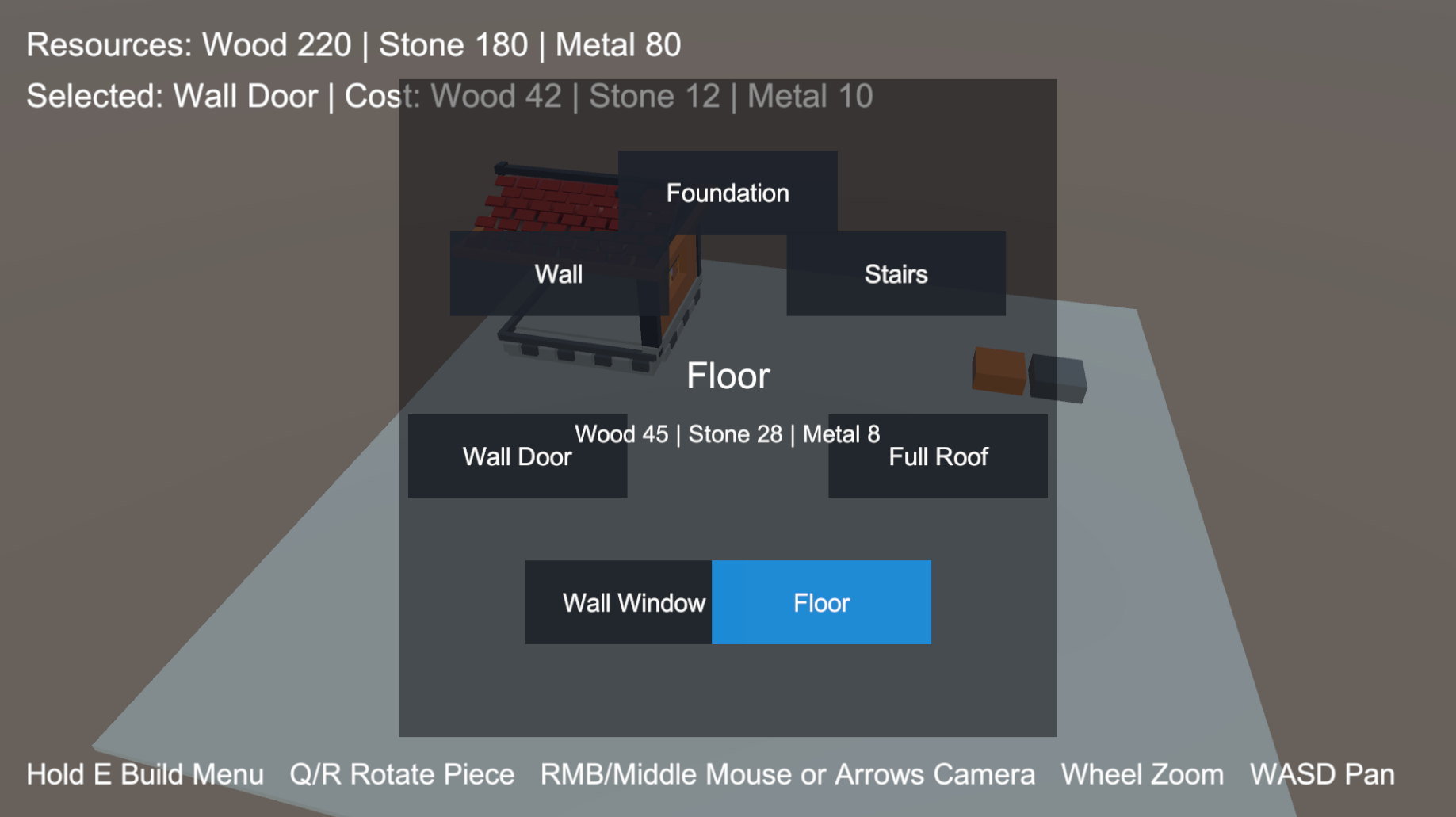
A radial build menu is included for selecting construction pieces during gameplay.
This makes it easy for players to quickly choose between foundations, walls, floors, roofs, stairs, and other build parts.
Radial Menu Features
- Runtime build selection
- Build category support
- Selected item display
- Quick access to building pieces
- Customizable UI workflow
🪵 Resource Cost System
Building pieces can require resources before they can be placed.
The included resource system supports wood, stone, and metal costs.
Resource Types
- Wood
- Stone
- Metal
Resource Features
- Per-piece resource costs
- Runtime resource UI
- Selected item cost display
- Build requirement checks
- Customizable resource values
🧨 Demolition & Refunds
Placed structures can be demolished during gameplay.
Refund amounts can be configured so players can recover part of the resources used to build a piece.
Demolition Features
- Runtime demolition
- Configurable refund values
- Resource return support
- Structure removal workflow
- Useful for editing and rebuilding bases
📘 Build Definition Assets
Building content is configured through ScriptableObject-based Build Definitions.
Each Build Definition can define the prefab, preview object, resource costs, category, and other construction settings.
Build Definition Settings
- Build piece prefab
- Preview prefab
- Resource costs
- Build category
- UI data
- Custom material setup
🛠️ Customizable Content
The system is designed so developers can add their own build pieces.
To add a new build piece, create a prefab, assign sockets, and link it to a Build Definition asset.
You Can Customize
- Building prefabs
- Socket positions
- Resource costs
- Preview prefabs
- Valid and invalid preview materials
- Build categories
- Runtime UI
- Demo materials
🧪 Demo Scene Included
A ready demo scene is included to test the building system immediately.
Demo Scene Includes
- Foundations
- Walls
- Door wall variants
- Window wall variants
- Floors
- Roofs
- Stairs
- Placement preview
- Snap point workflow
- Radial build menu
- Resource UI
- Build hints
- Demo camera controller
🎥 Demo Camera Controls
The demo scene includes camera controls for testing construction gameplay.
Camera Controls
- Orbit
- Zoom
- Pan
🎮 Suitable For
-
🌲 Survival Games
Let players build shelters, bases, defensive structures, and multi-level homes. -
🪓 Crafting Games
Combine resource costs with modular construction and item progression. -
🏠 Base-Building Games
Create foundations, walls, roofs, stairs, and expandable player bases. -
🧱 Sandbox Projects
Allow players to freely place, edit, and demolish modular structures. -
♟️ Strategy Prototypes
Use the system as a foundation for construction and settlement mechanics.
📦 Included
- Modular construction system
- Foundation prefabs
- Wall prefabs
- Wall variants with doors
- Wall variants with windows
- Upper floor pieces
- Roof prefabs
- Stair prefabs
- Snap point workflow
- Transparent placement preview
- Valid placement state
- Invalid placement state
- Radial build selection menu
- Wood resource support
- Stone resource support
- Metal resource support
- Demolition system
- Configurable resource refunds
- ScriptableObject Build Definitions
- Runtime resource UI
- Selected item UI
- Build hint UI
- Demo camera controller
- Demo scene
- MD documentation
- TXT documentation
- PDF documentation
⚙️ Technical Details
Construction
- Modular construction system
- Foundations
- Walls
- Floors
- Roofs
- Stairs
- Wall variants with doors
- Wall variants with windows
- Multi-level building support
Placement
- Snap point based placement workflow
- Transparent placement preview
- Valid placement state
- Invalid placement state
- Prefab socket support
UI & Resources
- Radial build selection menu
- Runtime UI for resources
- Runtime UI for selected item
- Runtime UI for build hints
- Resource cost system for wood, stone, and metal
Demolition
- Demolition system
- Configurable resource refunds
Customization
- ScriptableObject-based Build Definitions
- Customizable prefabs
- Customizable sockets
- Customizable costs
- Customizable materials
- Customizable preview objects
Demo
- Demo scene included
- Demo camera controller included
- Orbit camera control
- Zoom camera control
- Pan camera control
Compatibility
- Built for Unity 2022.3 LTS
- No third-party dependencies
📖 Documentation
Documentation is included in multiple formats and explains setup, Build Definitions, prefabs, sockets, resource costs, preview objects, demolition, demo scene usage, and customization.
Included Formats
- Markdown documentation
- TXT documentation
- PDF documentation
🏗️ Build Modular Structures at Runtime
Add foundations, walls, doors, windows, floors, roofs, stairs, placement previews, snapping, radial build selection, resource costs, demolition, refunds, and multi-level building to your Unity project.
Building Construction System provides a modular and customizable foundation for survival, crafting, base-building, sandbox, and strategy construction mechanics.
Purchase
In order to download this asset pack you must purchase it at or above the minimum price of $3.04 USD. You will get access to the following files:
Leave a comment
Log in with itch.io to leave a comment.